MW Digital Translate Desktop
Translate text locally on a computer and manage languages through clearly labelled packages.
Overview
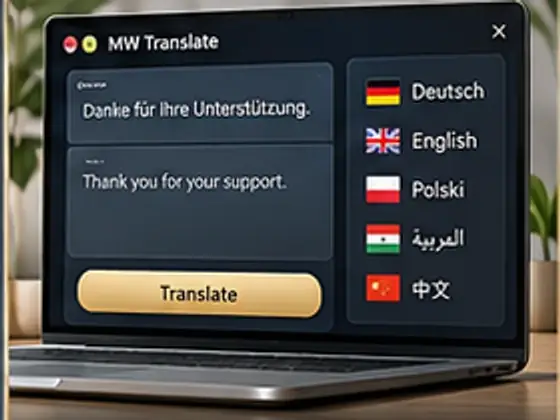
MW Digital Translate Desktop combines text input, language selection and local translation in a desktop app with a modular language library.
Features
- Accepts typed text for translation.
- Lets the user choose source and target languages.
- Shows the source text and translation in the app.
- Manages installed and available packages in a language library.
- Works locally and offline after the required packages are installed.
- Provides speech features for the Polish and German directions confirmed in the current Beta scope.
Status & roadmap
Beta project in development. Polish and German form the confirmed V1 scope; further language packages remain marked as development candidates until separately accepted.
Who it helps and why
What the product does
MW Digital Translate Desktop combines text input, language selection and local translation in a desktop app with a modular language library.
Who it is for
For individuals and teams who regularly translate text on a Windows computer.
Benefit
After the required packages are installed, translation stays local and creates no usage-based cloud cost.
Features
- Accepts typed text for translation.
- Lets the user choose source and target languages.
- Shows the source text and translation in the app.
- Manages installed and available packages in a language library.
- Works locally and offline after the required packages are installed.
- Provides speech features for the Polish and German directions confirmed in the current Beta scope.
Status
BETA PROJECT · IN DEVELOPMENT
Beta project in development. Polish and German form the confirmed V1 scope; further language packages remain marked as development candidates until separately accepted.